Draft a plan from a sentence
Type it the way you would say it. Touchdown shows what it heard and what is missing, then draws the plan.
Typed into TouchdownLand at 9,000 ft TVD with a 10°/100 curve. 9,500 ft lateral at 346°.

The next generation of well planning.
Easier to use, with a modern interface, on the same proven methods the industry already plans by. Everything you reach for every day is here, plus tools that are Touchdown's own. New planners get up to speed quickly. Experienced ones get there faster.
Built and tested with working well planners and directional drillers.
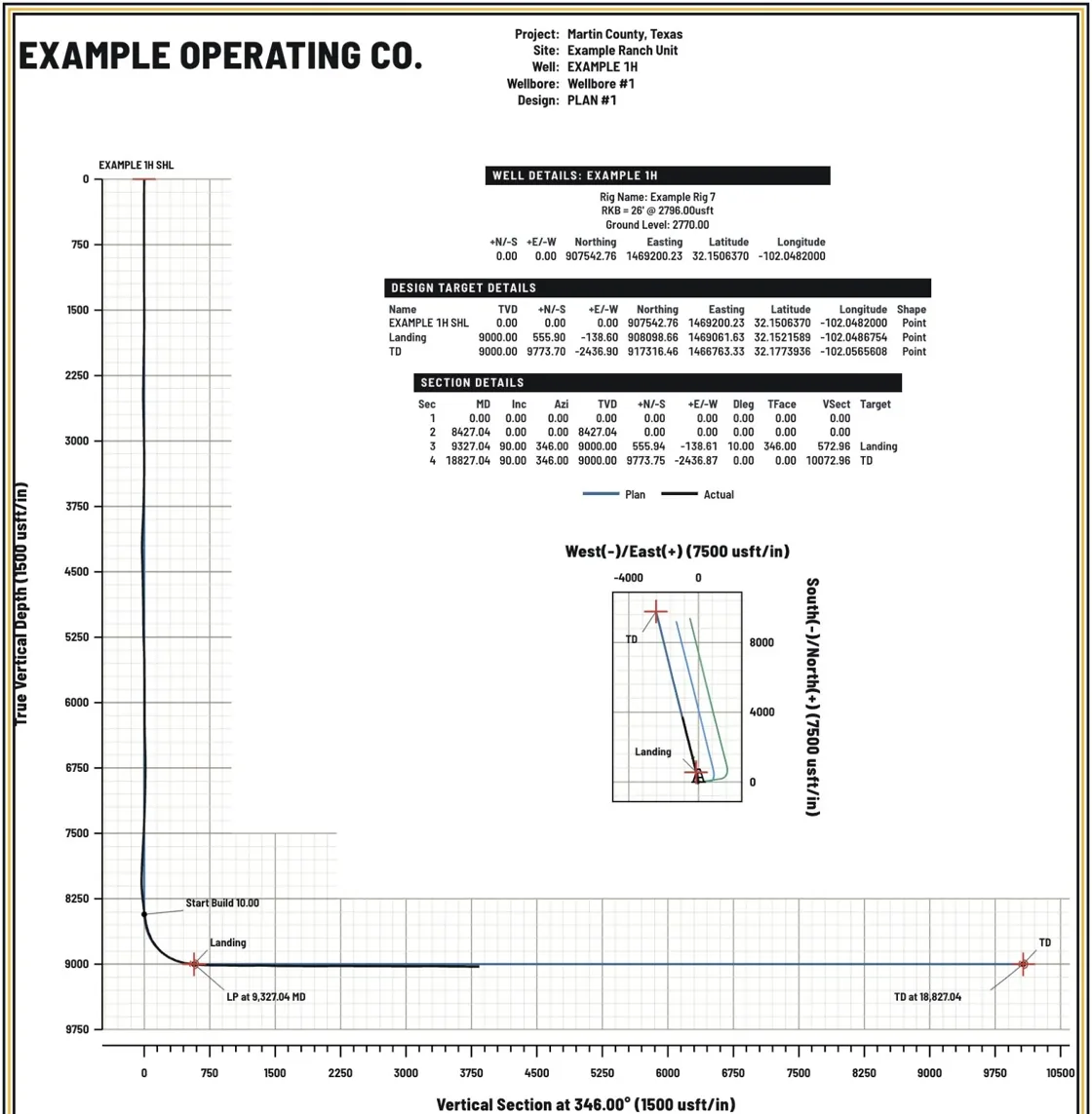
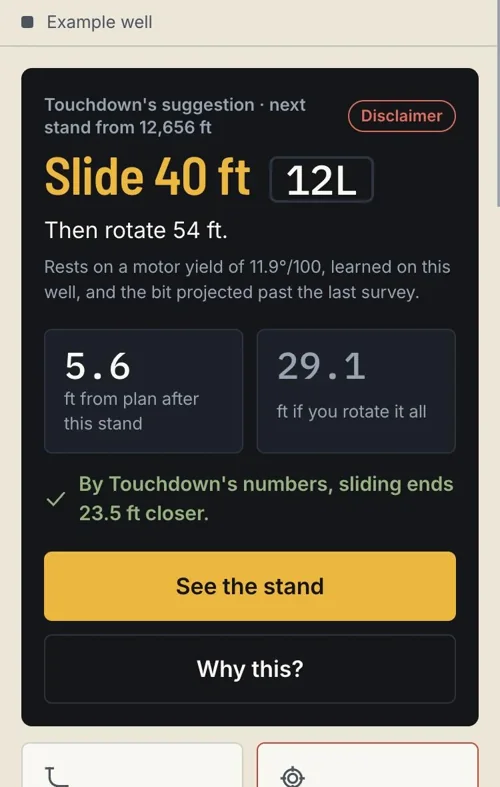
Type the plan the way you would say it. Touchdown shows what it understood and what is still missing before it draws a line. Every suggestion comes with the reasoning behind it, so you learn the well as you plan it.
The methods you already trust and the sheet layout your customers already read, with fewer clicks between the idea and the plot. Sidetracks, offsets, anti-collision and plan vs actual are where you expect them.
Type it the way you would say it. Touchdown shows what it heard and what is missing, then draws the plan.
Typed into TouchdownLand at 9,000 ft TVD with a 10°/100 curve. 9,500 ft lateral at 346°.
Wall plots and printed plans in the layout COMPASS and Well Seeker users recognise. 24 × 36, 36 × 48 and letter.
Plan and Drill sit one tap apart on the same well. The driller works from the plan the planner drew.
Record who approved the plan and when. The approval stays with the plan and prints on the sheet, for your tracking and your records.
The surface plat comes in from the Roughneck suite, so the plan starts from the customer's own sheet.
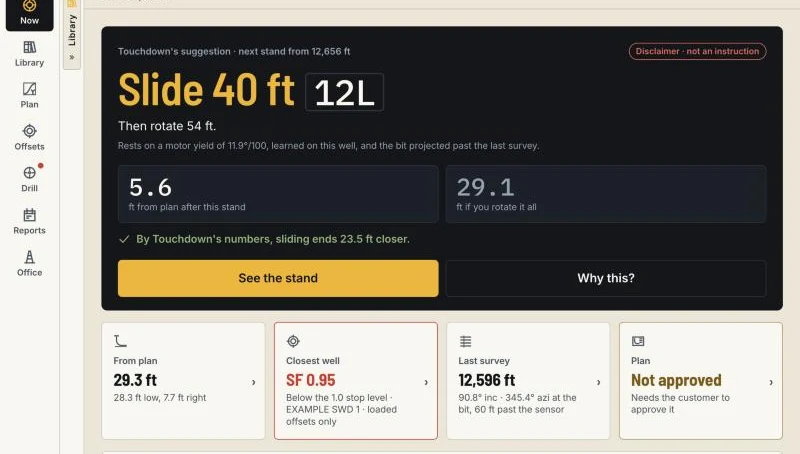
The next stand, the surveys and the slide instruction, in the driller's hand.
Touchdown matches the industry standards that other commercial well planning software is built on.
Checks passed in the current release, against the public ISCWSA test wells, error model workbooks and clearance set. A failed check stops the release.
The industry's standard survey calculation, for plans and for surveys. Positions match a second, independent library on the ISCWSA wells.
Position uncertainty and separation factors on the ISCWSA model, checked against ISCWSA's own example workbooks at every station.
Run on real wells and checked by directional drilling professionals.
A slide and rotate suggestion from this well's own surveys and slides, with what it rests on shown beside it. The directional driller decides.
From a landing depth and a lateral length to a drawn plan, without filling a form first.
A place to record the customer's approval on every plan, so the record is there when someone asks.
Drop a survey report on the well. Touchdown reads the stations in.
Windows, Mac and phone. Keeps working with no signal.
A demo takes 30 minutes. Tell us who you are and we will write back to set a time.
Thank you. We will write to you at the email you gave.