
What Touchdown does
Six things a planner or a directional driller will notice in the first hour.
Draft a plan from a sentence
Type the plan the way you would say it over the phone. Touchdown lists what it heard and what is still missing before it draws anything, so nothing is guessed.
Typed into TouchdownLand at 9,000 ft TVD with a 10°/100 curve. 9,500 ft lateral at 346°.
Or a longer oneKOP 5,000. Build 2°/100 to 12.5°, then curve at 9.5°/100 to land at 15,948 TVD. BHL 3,039 N, 5,579 E. 3,511 ft lateral.
Sheets your customers already read
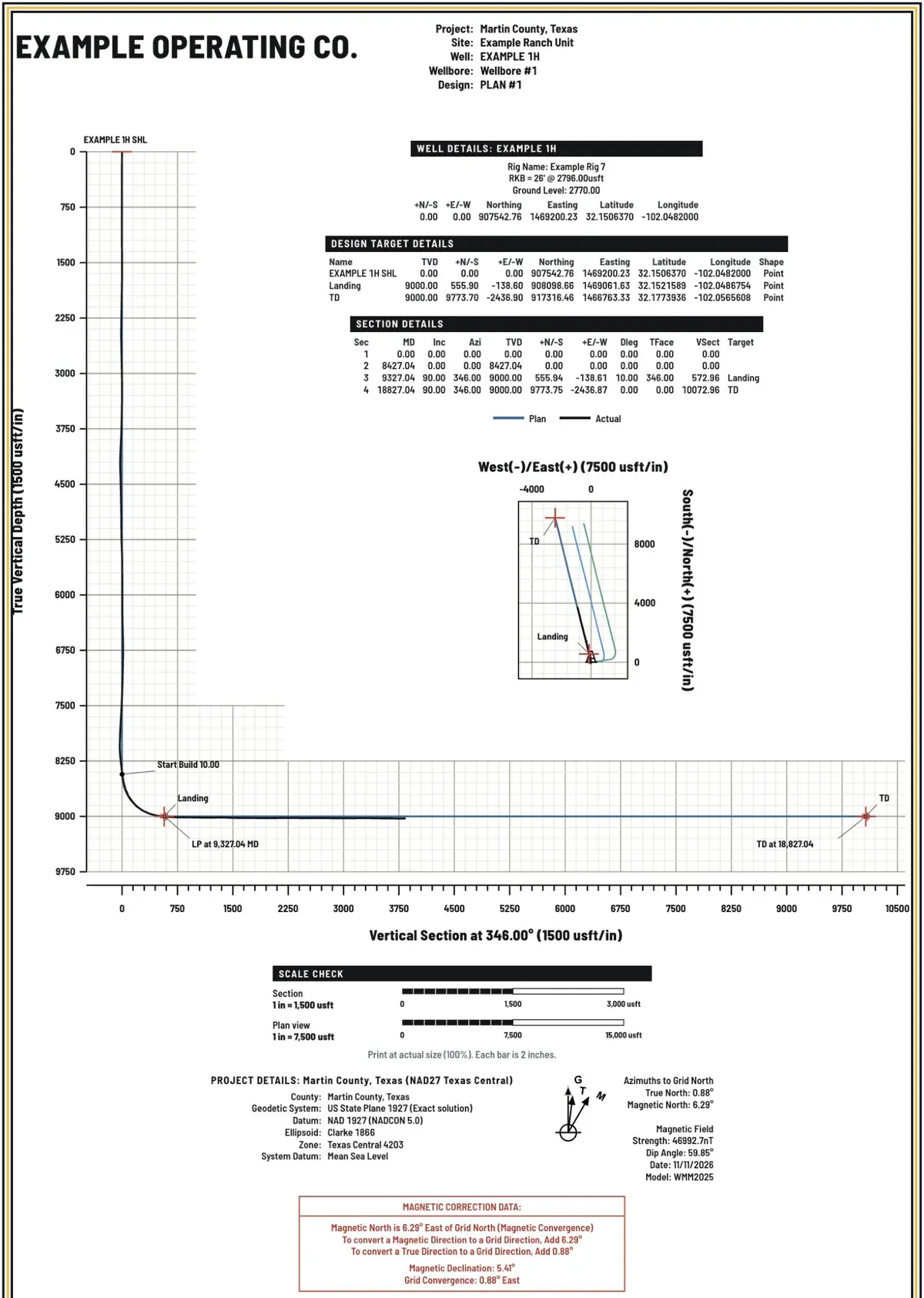
Wall plots and printed plans come out in the layout COMPASS and Well Seeker users recognise: vertical section, plan view, target and section tables, the north arrow and the magnetic box, where they expect them.
- Wall plot at 24 × 36 in and 36 × 48 in, true to scale.
- Letter, Legal and Tabloid. A4 and A3.
- Feet or metres.
Planner and driller in one place
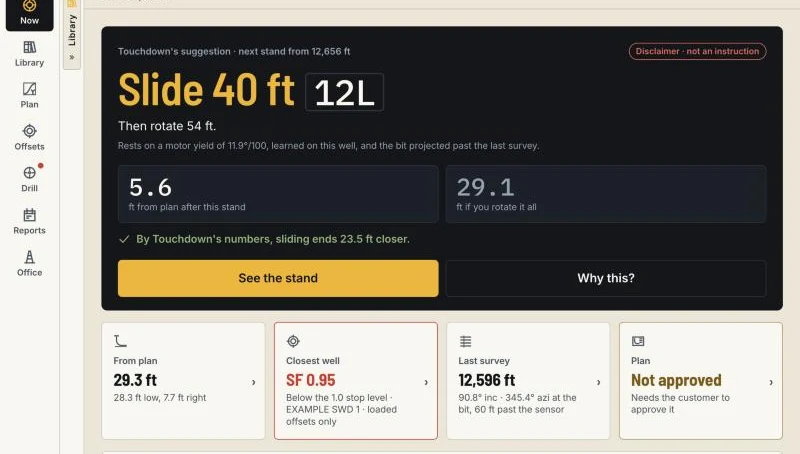
Plan and Drill are two sections of the same app, one tap apart. The planner designs the well, checks the offsets and prints the sheet. The directional driller opens the same well and works the next stand against that plan. Nothing is exported and imported between them.
Customer approval, on file
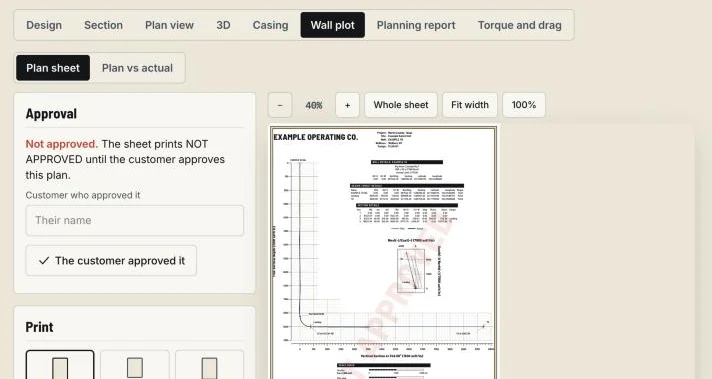
Every plan has a place for the customer's approval. Enter who approved it and Touchdown keeps the name and the date with the plan and prints the approval on the sheet. When someone asks which plan the customer approved, the answer is in the well.
The plat comes with the job
Touchdown is part of the Roughneck suite. The surface plat for a job comes in from Roughneck, and the finished plan goes back to the won job there.
Steer from a phone
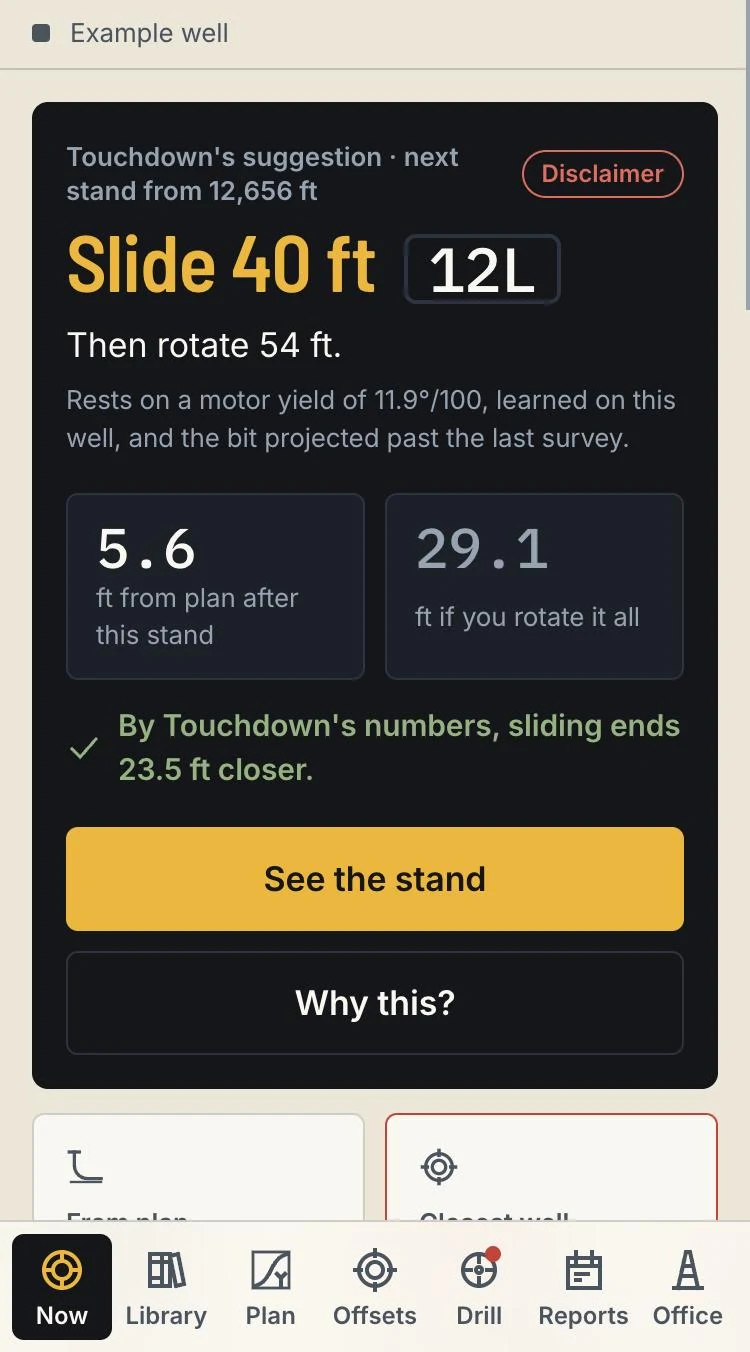
On the rig, the phone shows the next stand, takes the surveys and carries the slide instruction as one short line. Suggestions are worked out from the well's own surveys and slides. The directional driller decides.
Also there, because you use it every day
- Anti-collision with separation factors on the ISCWSA error model, and an anti-collision report.
- Offset wells, distances and nearby wells.
- Section, plan view and 3D.
- Planning report.
- Sidetracks from the surveys.
- Plan vs actual and project ahead.
See it on one of your wells.
A demo takes 30 minutes. Tell us who you are and we will write back to set a time.
- 30 minutes, live
- Planner and directional driller screens
- No commitment
Sent.
Thank you. We will write to you at the email you gave.